Purgy vs MacKeeper: a cleaner against a bundle.
MacKeeper packs antivirus, cleaning, privacy and more into one subscription. Purgy cleans storage and tells you what it is doing. Here is how they differ.
On this page
If you want storage back and nothing else, Purgy is the simpler, cheaper fit. If you want antivirus, a VPN and identity monitoring from one vendor, and you are happy to pay every month or year, MacKeeper is built for that. Check the renewal terms before you subscribe.
At a glance
| Purgy | MacKeeper | |
|---|---|---|
| How you pay | $20 once, 3 Macs | Subscription, monthly or yearly, that renews automatically |
| Main purpose | Storage cleaning and System Data | All-in-one: security, privacy and cleaning |
| Antivirus | No | Yes |
| VPN, ad blocker, ID monitoring | No | Yes, per its reviews |
| Shows each file before cleaning | Yes | Check the app, we have not tested it |
| Claims to speed up your Mac | No | Performance tools are part of its pitch |
MacKeeper details come from public listings and reviews, linked under Sources. We have not tested MacKeeper ourselves for this page.
What MacKeeper is
MacKeeper has been sold since 2010. Today it is a subscription bundle. Reviews describe a feature list that includes antivirus scanning, adware removal, a VPN, an ad blocker, identity theft monitoring, a disk cleaner and performance tools. A limited free version exists, and the full set needs a paid plan.
That is a lot of tools in one place. It suits someone who wants one vendor to handle security and cleanup together, and who does not want to pick each piece separately.
What Purgy is
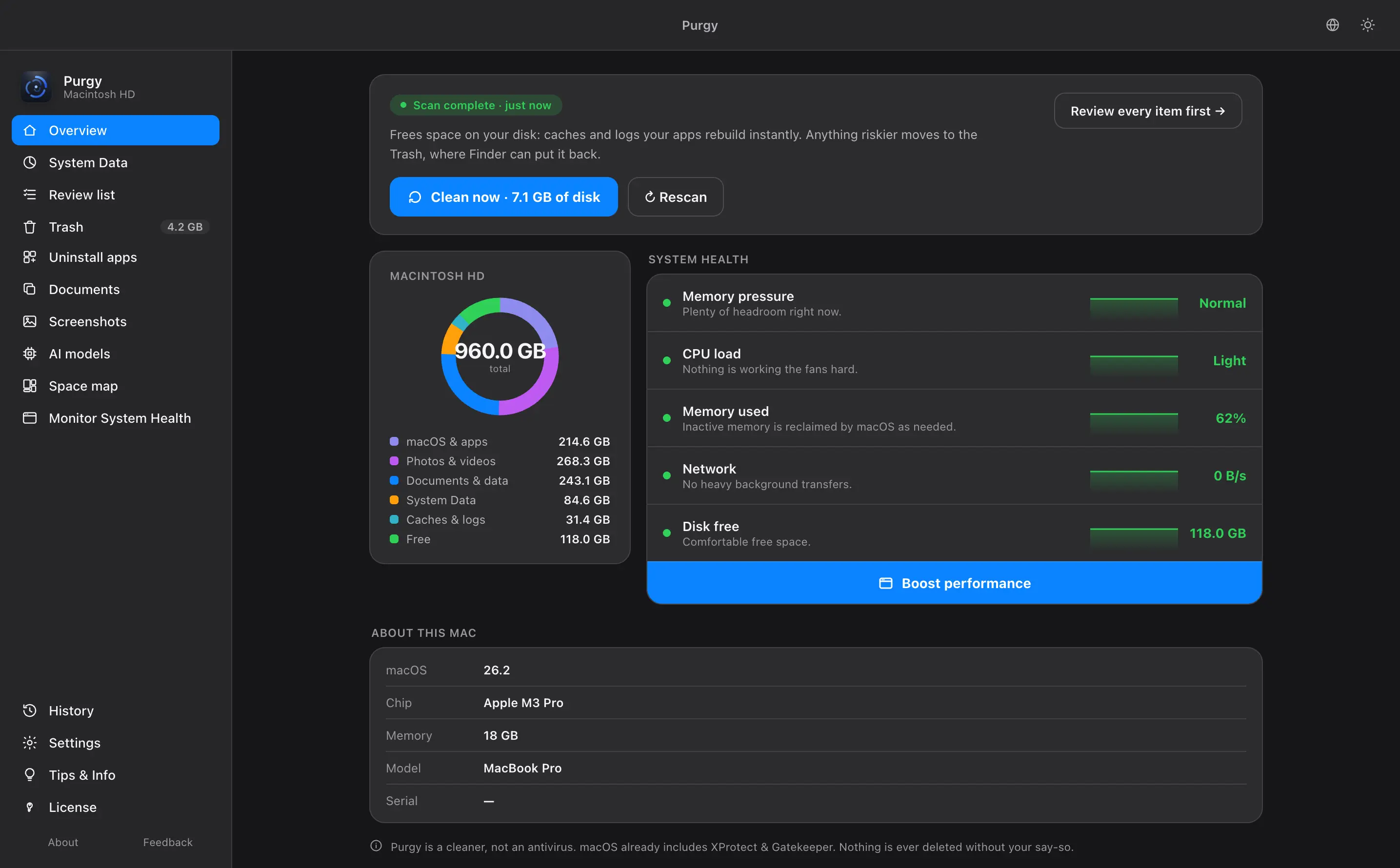
Purgy only cleans. It finds caches, app leftovers, large files, duplicates and the contents of System Data, and it lists what it found with the size and reason for each item. Your own documents, photos and projects are locked. What you approve goes to the Trash by default, with permanent delete as a separate button you must choose. See the Purgy homepage for the full feature list.
MacKeeper price and billing
Purgy costs $20, once, for 3 Macs. Updates are free and nothing renews. The pricing page has the details.
MacKeeper is a subscription. Third-party reviews list a monthly plan around $15, and yearly plans that work out to roughly $8 a month for one Mac and $10 a month for three. They also warn that plans renew automatically and that an introductory price can rise at renewal.
| Time you keep it | Purgy | MacKeeper, yearly plan, 1 Mac (about) |
|---|---|---|
| First year | $20 | $95 |
| Three years | $20 | $285 or more, if the price holds |
MacKeeper figures are taken from third-party reviews and will change. Confirm the current price and renewal terms with the vendor.
A bundle is only good value if you would otherwise pay for the parts. If you already have antivirus or a VPN you like, you are paying for tools you will not use.
Is MacKeeper safe? The trust question
MacKeeper has a history that many Mac users remember. Under its earlier owners, it was criticized for aggressive advertising and for scan results that critics said exaggerated problems. In 2015 its developer agreed to a $2 million class action settlement over claims of deceptive marketing, without admitting fault. The Wikipedia entry gives the wider background.
That was years ago, and recent reviews describe a different product. We mention it because it is the reason many people ask about MacKeeper at all. Judge the current app on current evidence, and read the cancellation and refund terms before you subscribe.
Purgy's approach is the opposite of a scare scan. It does not say your Mac is in danger. It shows what is taking up space and leaves the decision with you.
Where MacKeeper is better
- It covers more. Antivirus, VPN, ad blocking and identity monitoring are in one place.
- It has a free version. You can try part of it before paying, per its reviews.
- It suits one-vendor buyers. If you want everything from a single company, this is built for it.
Where Purgy is better
- One price, no renewal. $20 for 3 Macs.
- No bundle you do not need. It does storage cleaning and nothing else.
- It shows its work. Every file is named with its size and reason, and your own files are locked.
- No account. Purgy needs no sign-up, only a license key.
- Calm wording. It does not claim your Mac is at risk or promise speed.
Do you need antivirus on a Mac?
That is a personal call. macOS includes XProtect and Gatekeeper, which check software before it runs. Apple describes them in its platform security guide. Many people add nothing. Others want a second layer. If you want one, choose a security product on its own merits, not as a side effect of a cleaner.
How to try Purgy safely
Back up with Time Machine first. Then start the 3-day free trial, which has every feature and needs no card. If you buy, the refund policy gives you 7days. You can also read how to clear System Data by hand, or compare Purgy with CleanMyMac, another all-in-one option.
Sources
Common questions
Is MacKeeper safe to use?
MacKeeper is a real, commercial app, and recent reviews describe it as a working product. It has a troubled past, though, covered below. Read current reviews and the billing terms before you install it.
What does MacKeeper cost?
Third-party reviews list a monthly plan of about $15 and yearly plans that work out to roughly $8 a month for one Mac and $10 a month for three. Introductory prices can change at renewal, so read the billing terms on the MacKeeper site before you buy.
Does Purgy include antivirus?
No. Purgy is a cleaner. macOS already runs its own malware protections, XProtect and Gatekeeper. If you want a separate antivirus, MacKeeper includes one.
Is Purgy a subscription?
No. It is $20 once for 3 Macs, with free updates and no renewal date.
Will Purgy scare me with warnings?
No. Purgy shows what it found and how much space it would free. It does not claim your Mac is at risk or that cleaning will make it faster.