Purgy vs AppCleaner: when the free tool is enough.
AppCleaner is a free, simple app uninstaller that many Mac users already trust. If removing apps is all you need, you may not need anything else. Here is where each one fits.
On this page
If you only want to remove apps and their leftovers, use AppCleaner. It is free and does that job well. If you also want to clear caches, see what is inside System Data, find large files and duplicates, and map your disk, Purgy covers all of that in one app.
At a glance
| Purgy | AppCleaner | |
|---|---|---|
| Price | $20 once, 3 Macs | Free, with optional donations |
| Uninstalls apps with leftovers | Yes | Yes, its main job |
| Drag-and-drop uninstall | Pick the app inside Purgy | Yes, drag an app onto it |
| Clears caches and logs | Yes | No |
| Explains System Data | Yes | No |
| Large files and duplicates | Yes | No |
| Disk map | Yes | No |
| Works on | macOS 12 Monterey and later | macOS 10.14 and later, per its listings |
AppCleaner details come from the developer's site and published reviews, linked under Sources. We have not tested it ourselves for this page.
What AppCleaner is
AppCleaner is made by FreeMacSoft. You drag an app onto its window, it lists the related files it can find, and you remove them together. Those files usually include caches, preferences and support files that a normal drag-to-Trash leaves behind. A SmartDelete option can also offer to clean up when you drag an app to the Trash yourself.
It is free, small and has been around for a long time. You can download it from the FreeMacSoft site.
What Purgy is
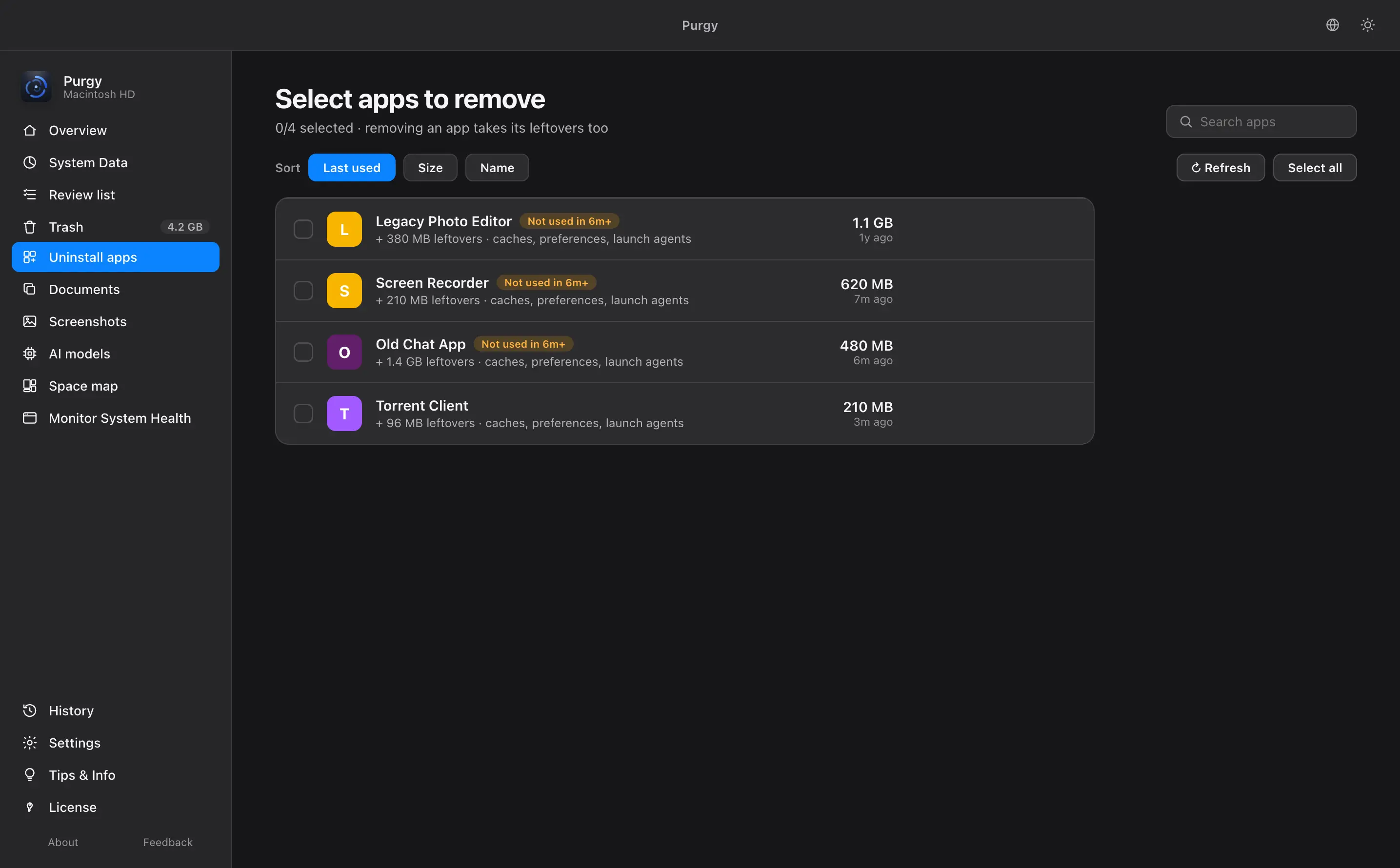
Purgy includes an uninstaller that does the same basic job. Pick an app and it lists the app plus its caches, preferences and launch agents, so you can review them before they go.
The uninstaller is one screen of several. Purgy also clears the caches and logs macOS rebuilds, names what is inside System Data, finds large files and exact duplicates, cleans up screenshots, and maps your disk. Everything it finds is listed with a size and a reason, and your own documents and photos are locked. See the guide for each screen.
Price: free against $20
This is not a close comparison. AppCleaner costs nothing, and Purgy costs$20 once for 3 Macs. If you only need uninstalls, there is no reason to pay.
The question is whether you also need the rest. If your Mac's storage is full and you cannot tell why, an uninstaller will not answer that. A bigger problem is usually System Data, large old files or cached data, which sit outside what AppCleaner covers. Our guide to clearing System Data shows what tends to fill it.
Where AppCleaner is better
- It is free. No payment, no trial clock.
- It is very simple. Drag, review, remove.
- It works on older Macs. Its listings show support back to macOS 10.14, while Purgy needs macOS 12 Monterey or later.
- SmartDelete. It can step in when you drag an app to the Trash.
Where Purgy is better
- It covers more than apps. Caches, System Data, large files, duplicates and screenshots are all included.
- It shows your whole disk. The space map covers your Mac and external drives.
- It sorts by risk. Safe, review and locked groups make it clear what you can remove.
- It protects folders you choose. Add any folder to the protected list and Purgy will not look inside.
Who should pick which
Pick AppCleaner if you
- only remove apps now and then
- run an older version of macOS
- want to spend nothing
Pick Purgy if you
- need storage back and want to know why it is full
- want System Data explained
- want one tool for several jobs
A fair way to decide
Try the free tool first. If it solves your problem, you are done. If your disk is still full afterward, that is a sign the space is somewhere an uninstaller does not reach. Then try Purgy's 3-day free trial, which has every feature and needs no card. If you buy, the refund policy gives you 7 days.
You may also want to see how Purgy compares with DaisyDisk, a disk map, or with the tools built into macOS.
Sources
Common questions
Is AppCleaner really free?
Yes. AppCleaner is free to download and use. Its developer accepts optional donations, but the app itself is not locked behind a payment.
Is AppCleaner enough on its own?
If all you do is remove apps, it can be. It does not clear caches, find large files, explain System Data or map your disk. For those jobs you need another tool, or Purgy.
Does Purgy uninstall apps like AppCleaner?
Yes. Purgy has an uninstaller that removes an app along with its caches, preferences and launch agents.
Why would I pay when a free tool exists?
Only if you want more than uninstalling. Purgy adds a System Data breakdown, a space map, large file and duplicate finders and safe cleaning, for $20 once. If you do not need those, the free tool is the better choice.
Can I use both?
Yes. Some people keep AppCleaner for drag-and-drop uninstalls and use Purgy for the rest. There is no conflict between them.